Orbot: Tor for Android
- 4.0
- Rating
- 10.00M
- Installs
- Free
- Price

 Analysis by App-foxy
Orbot is the kind of communication app I install when ordinary internet access is not enough. Developed by The Tor Project, it routes supported traffic through the Tor network, giving me a privacy-focused way to reach online services and potentially get around network blocking. That makes it very different from a typical messaging app or a standard browser: its main job is to change how selected connections travel, not to provide chats, feeds, or calls of its own.
After spending time with it, my view is straightforward: Orbot is useful when privacy and access matter more than raw speed. It is free, available for users aged Everyone, and works on Android devices starting with version 7.0. The app has been around since Aug 13, 2010, which helps explain why it feels like a mature privacy tool rather than a new experiment. At the same time, Tor routing naturally adds friction, and anyone expecting ordinary mobile browsing to feel just as quick may be disappointed.
What Orbot actually changes on an Android phone
The easiest way to understand Orbot is to think of it as a Tor connection layer for Android. Instead of sending supported traffic directly through the usual route, it can pass that traffic through the Tor network. The practical goal is to make online activity harder to associate with a direct connection and to help reach services that a local network may restrict.
You May Also Like

 Blood Strike: 2.5 Anniversary
Blood Strike’s Loadouts Turn Every Drop Into a Tactical Gamble
A close look at Blood Strike’s custom loadouts: how fast access to signature weapons reshapes its battle royale rhythm, rewards preparation, and narrows the gap between fights.

 Pandora - Music & Podcasts
Pandora’s Music Is Easy to Start, but Harder to Recover
Pandora’s strength is its low-effort path from a seed to a station. Its weak spot is how much confidence it asks you to place in connection, setup, and quiet recovery.

 8 Ball Pool
 Is Built on Rivalries, Rematches, and Routine
A close look at the rivalries, rematches, shared routines, and unanswered safety questions that turn a quick pool match into a persistent mobile community.

 Samsung Music
’s Quiet Strength Is Playing What You Already Own
Its reach comes less from spectacle than from dependable access to a personal library. That simplicity is both the app’s strongest retention engine and its ceiling.

 AccuWeather: Weather Radar
AccuWeather Review: A Quick, Clear Forecast for Everyday Decisions
For everyday plans, the best forecast is the one you can understand quickly. AccuWeather makes rain timing, radar, and local conditions easy to act on, with a few trade-offs.

 Hill Climb Racing
Why Hill Climb Racing Still Turns Crashes Into One More Run
A tiny car, a bumpy hill and one more upgrade: Hill Climb Racing keeps resurfacing because its simple chaos makes every near-miss feel personal.
More From Our News Desk



That description is more useful than calling it simply a “privacy app.” Privacy tools solve different problems, and Orbot is not a replacement for every one of them. It does not automatically make every app private, and it does not turn an unsafe website or poorly designed account into a secure one. Its value depends on which traffic you send through it and what you do after the connection is established.
I particularly appreciate that distinction because it prevents unrealistic expectations. If I use Orbot for a compatible browser session, I am addressing the route used by that session. I am not magically protecting every account on my phone, nor am I removing the need for strong passwords, careful downloads, or sensible account settings. The app is best understood as one layer in a privacy workflow.
The developer is The Tor Project, and the app’s long presence on Android gives it a clear identity. It is not trying to compete with social networks, private messengers, or commercial VPN services by offering a broad bundle of features. Its purpose is narrower, and that narrow purpose is also its strength: I can choose it when I specifically want Tor-based routing rather than a general-purpose connection service.
Where it fits better than ordinary alternatives
Compared with a normal browser connection, Orbot can be the better choice when I do not want to rely entirely on the network path supplied by my mobile carrier, workplace, school, hotel, or public hotspot. A normal browser is usually more convenient and faster, but it offers no Tor routing by default. Orbot gives me a way to prioritize privacy and access in situations where convenience is not the only concern.
Compared with a conventional VPN, the trade-off is less simple. A VPN is often easier for everyday whole-device use and may feel more responsive for video, downloads, or location-sensitive services. Orbot is more appropriate when I specifically want the Tor network and accept that the route can be slower or less predictable. I would not install it expecting the same experience as a polished commercial VPN.
It also differs from a private messenger. A messenger protects conversations according to its own design, while Orbot concerns the network path used by supported traffic. Using both can make sense, but one does not replace the other. This is an important practical point for anyone choosing an app based only on the word “privacy.”
Speed expectations and what affects everyday use
The first thing I would tell a friend is not to judge Orbot by the speed of a normal direct connection. Tor traffic takes a more involved route, so pages can take longer to begin loading and some connections can feel uneven. That is not necessarily a sign that the app is broken. It is part of the cost of choosing a privacy-oriented route instead of the shortest available path.
For reading text-heavy pages, checking a service, or carrying out a short task, I can accept that compromise. The delay is easier to tolerate when I have a clear reason for using Tor. For image-heavy sites, large downloads, live media, or anything that depends on a consistently low delay, the experience becomes less comfortable. I would normally switch to a regular connection for those activities unless privacy and access were more important than responsiveness.
One non-obvious tip is to decide in advance which tasks truly need Tor. Keeping it active for every activity can create frustration without adding meaningful value to services that do not contain sensitive information. I get a better experience when I use it deliberately: private research, access testing, or a session on a network I do not fully trust, rather than treating it as a permanent speed-neutral switch.
Another useful habit is to avoid judging performance during the first moments after activation. A connection may need time to establish its route, and the first request can feel less responsive than later requests. If I immediately stop and restart the app every time a page hesitates, I may create more instability for myself. I prefer to give the connection a moment, retry once, and then decide whether the particular task is suitable for Tor.
Orbot’s current version is 17.9.2-RC-1-tor-0.4.9.5.1-1-g5efd657a1. That long version label is not something most people need to memorize, but it does matter when troubleshooting. If I report a problem, I would include the exact version shown on the device, because privacy and networking issues can depend on the app build and the Android environment.
Heavy-use moments reveal the real trade-off
The most demanding situations are not necessarily the ones that use the most phone storage or battery. They are the moments when several network-sensitive tasks compete for a route that is already less direct than usual. Opening multiple pages, refreshing repeatedly, or moving between apps can make the experience feel inconsistent, especially when each service reacts differently to Tor traffic.
I would avoid using Orbot as my default route for large files, high-quality video, or activities where a brief interruption causes a major problem. A standard connection is usually the more sensible tool for those jobs. This is not a criticism of Orbot so much as a reminder that its priority is privacy and reachability, not maximum throughput.
There is also a practical account-management issue. Some online services may treat a Tor connection differently from a familiar home or mobile connection. A login can trigger additional checks, ask for verification, or behave less smoothly. I would keep recovery methods available before starting an important account session, rather than discovering during a time-sensitive task that the service wants another form of confirmation.
For a realistic everyday example, imagine that I am using public Wi-Fi in a café and need to read a sensitive research page that is blocked by the network. I might activate Orbot, use a compatible browser, wait for the connection to settle, and complete the reading without sending that session through the café’s ordinary route. When I finish, I would turn it off before streaming music or downloading a large file. That workflow is more practical than leaving it enabled for everything.
A second example is travel. If a hotel network blocks a site I need for work, Orbot may offer a way to test whether the restriction is tied to the local network. I would still keep a backup plan, because Tor access can be slower and the destination service may not welcome Tor traffic. The app improves my options; it does not guarantee that every website will function normally.
Reliability, recovery, and the small points of friction
In my experience, the most important reliability question is not simply “does it connect?” but “what happens when the connection is interrupted?” Mobile networks change, Wi-Fi switches, Android may limit background activity, and the destination itself may be unavailable. Orbot cannot remove all of those variables, so recovery is part of using it well.
When a page stalls, I first check whether the issue affects only the Tor-routed session or the whole phone. I then try a single refresh and, if necessary, stop the sensitive task and reconnect. Repeatedly tapping controls without knowing which state the app is in is less helpful than taking a short, orderly approach. This is one of the places where Orbot feels more like a technical utility than a casual consumer app.
For important work, I would not make it my only connection method. If I need to submit a form before a deadline, join a meeting, or access a service that must respond immediately, I prefer to have a normal connection available as a fallback. Orbot is valuable precisely because it offers a different route, but a different route can also behave differently when the network changes.
Stability can vary with the Android device and its background-management rules. On an older phone, I would be more cautious about leaving a networking utility active while many other apps are running. If the system is aggressive about stopping background processes, a connection that seemed fine may need attention after the screen has been off. I would test the workflow on my own phone before relying on it during travel or in a restricted network.
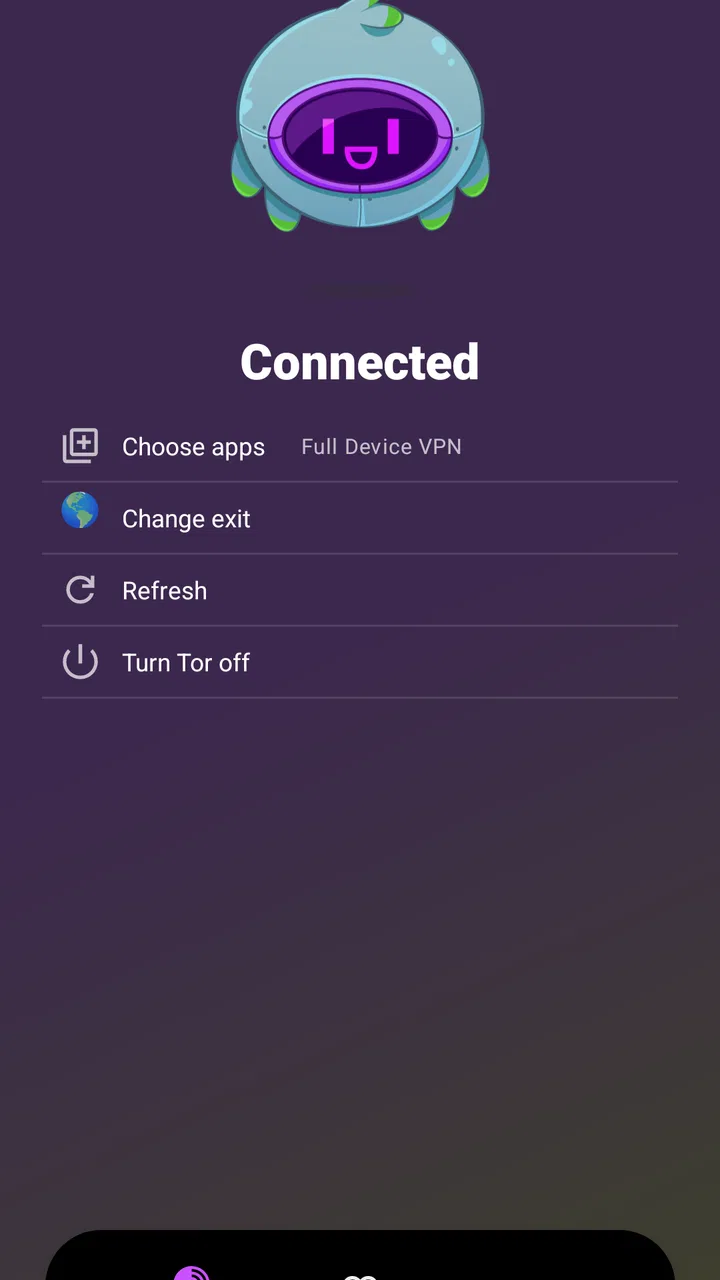
That testing step is especially important for app-specific traffic. The fact that Orbot is installed does not mean every application on the phone automatically behaves in the same way. I would check the app’s routing choices and then verify the result with the exact browser or service I plan to use. This is a concrete advantage of a careful setup: I know whether I am protecting the activity that matters instead of assuming the entire device is covered.
Another trade-off is that Tor can make a service think I am connecting from an unfamiliar place or from a shared exit point. That may be useful for separating my direct network identity from a request, but it can also cause captchas, blocked logins, or location-dependent content to behave unexpectedly. If a service depends on my usual region, a conventional connection may be the better option.
Device constraints and sensible preparation
Orbot supports Android 7.0 and later, so it remains accessible to many older phones as well as newer devices. Still, minimum compatibility is not the same as an ideal experience. On an aging device with limited memory, a privacy-routing app running alongside a browser and several other active applications may feel less comfortable than on a modern phone.
Before using it for a serious task, I would update the phone, close apps I do not need, and make sure I have enough battery for a connection that may take longer than usual. I would also avoid testing it for the first time immediately before a deadline. A short trial on the same Wi-Fi or mobile network can reveal whether the intended browser and service work as expected.
Battery impact is difficult to judge in isolation because it depends on how long the connection remains active and what the routed apps are doing. I would not assume that a short reading session has the same effect as leaving several active pages open for hours. My practical rule is simple: enable it for a defined purpose, finish that purpose, and disable it when I no longer need the alternate route.
Storage is not the concern that stands out to me here; the more meaningful constraints are patience, network conditions, and the phone’s handling of background activity. That distinction helps set realistic expectations. Someone with a modest handset may still find Orbot useful for occasional privacy-focused sessions, while someone seeking a seamless all-day connection may find the workflow too demanding.
The app is free, which makes experimentation easier. I can test whether it fits my own network and browsing habits without adding a purchase decision to the setup. Its Everyone content rating also makes it broadly approachable, although the technical purpose still means that a first-time user should read the controls carefully rather than activating it without understanding what traffic is involved.
Who should use it, and who should choose something else?
I would recommend Orbot to people who understand that privacy is often a trade-off rather than a speed upgrade. It suits researchers, travelers, users on restrictive networks, and anyone who wants a Tor-based option for selected Android activity. It is also a good learning tool: by using it deliberately, I become more aware of which apps and sessions actually need a different network path.
I would be more cautious recommending it to someone who wants a simple “turn it on and forget it” solution. If the main goal is fast video, gaming with low delay, reliable voice calls, or smooth access to region-specific services, a normal connection or a suitable VPN may be less frustrating. If the goal is private messaging, a messenger designed around secure conversations addresses a different need more directly.
There is no single winner among these alternatives. A conventional connection is usually best for speed and compatibility. A VPN can be easier for broad everyday routing. A private messenger is the relevant choice for protected conversations. Orbot earns its place when I specifically value Tor’s privacy model or need to test access through a network that is blocking ordinary requests.
Its large Android audience suggests that the app is not a niche experiment: it has passed the ten-million-install mark, with an average rating of four out of five from roughly one hundred ninety-eight thousand ratings and about eight thousand four hundred written reviews. Those figures give me confidence that many people find a use for it, but they do not remove the need to decide whether its slower, more technical workflow fits my own habits.
One of my strongest recommendations is to separate identity-sensitive tasks from convenience tasks. I would use Orbot for the former when appropriate, then return to a regular route for shopping, streaming, or services that rely on a stable familiar connection. That separation reduces unnecessary slowdowns and makes it easier to understand what the app is doing for me.
My performance verdict after using it deliberately
Orbot is a focused Android communication utility with a clear purpose and a meaningful compromise. It can improve privacy and help with blocked access, but it does so through a route that may be slower, less predictable, and more demanding of the user’s attention than an ordinary connection. I see that as an honest trade rather than a flaw to hide.
Its performance is strongest in short, intentional sessions: reading, research, checking a restricted service, or using a compatible app on a network I do not fully trust. Its weakest moments are heavy transfers, real-time activities, and situations where a service expects a familiar location or uninterrupted responsiveness. Recovery is manageable when I reconnect calmly and keep a backup route, but it is not as effortless as switching between ordinary mobile and Wi-Fi data.
The app’s free price, broad Android compatibility, and long-standing development by The Tor Project make it easy to try. I would install it for a specific privacy or access need, learn how its routing applies to my chosen apps, and test it before depending on it away from home. My recommendation is positive for patient users who want Tor on Android, but not for anyone expecting a faster or universally smoother internet connection.
In the end, I think of Orbot as a specialized tool I keep available rather than a replacement for my entire network setup. When the situation calls for Tor, it gives me a practical option. When speed, stability, or effortless compatibility comes first, I choose the usual connection instead. That balance is what makes the app genuinely useful: it does one difficult job, and it is most effective when I use it knowingly.
FAQs for Orbot: Tor for Android
01What is Orbot and how does it work?
Orbot is a free proxy app that empowers other apps to use the internet more securely. It uses Tor to encrypt your internet traffic and then hides it by bouncing through a series of computers around the world. This ensures your data remains private and your IP address stays hidden, enhancing your online privacy.
02Is Orbot safe to use on my Android device?
Yes, Orbot is designed to enhance your online privacy and security. By routing your internet traffic through the Tor network, it encrypts your data and hides your IP address. However, users should ensure they use it correctly and combine it with other security practices for optimal protection.
03Will using Orbot slow down my internet connection?
Using Orbot can result in slower internet speeds since your traffic is encrypted and routed through multiple servers worldwide. This is a trade-off for the increased privacy and security. Users should expect some delay but can adjust settings for a balance between speed and privacy.
04Can Orbot be used with all apps on my Android device?
Orbot can be configured to work with many apps on your Android device, but not all apps may support proxy settings. It works best with apps that support proxy configurations. Users should check app compatibility and settings to ensure seamless integration with Orbot.
05Does Orbot require root access on my Android device?
Orbot does not require root access for basic functionality. However, some advanced features, like transparent proxying, may require root permissions. Users can still use Orbot effectively without rooting their device, but rooting can unlock additional functionalities.
Pros
- Enhanced privacy and anonymity online.
- Easy to set up and use for beginners.
- Open-source with regular updates.
- No need for root access on Android.
- Supports multiple applications simultaneously.
Cons
- Can slow down internet connection speed.
- Not all apps are compatible with Tor.
- May require technical knowledge for troubleshooting.
- Potentially blocked by some networks.
- Battery usage can increase significantly.

Orbot: Tor for Android
Gallery